Flutter Localization packages
There are packages for flutter app localization a lot. Just pick one! But if you want to change app name with system preferences, you should change the native code.
Android
- Change android:label in AndroidManifest.xml ${FlutterProj}/android/app/src/main/AndroidManifest.xml
 <manifest xmlns:android="http://schemas.android.com/apk/res/android"
    package="com.yerin.xxxx">
   <application
-        android:label="xxxx"
+        android:label="@string/app_name"
        android:name="${applicationName}"
        android:icon="@mipmap/ic_launcher">
        <activity
...- Create strings files ${FlutterProj}/android/app/src/main/res/values-en/strings.xml
or ${FlutterProj}/android/app/src/main/res/values-de/strings.xml
- Write your app name down!
<resources>
    <string name="app_name">APP NAME</string>
</resources>
iOS
-
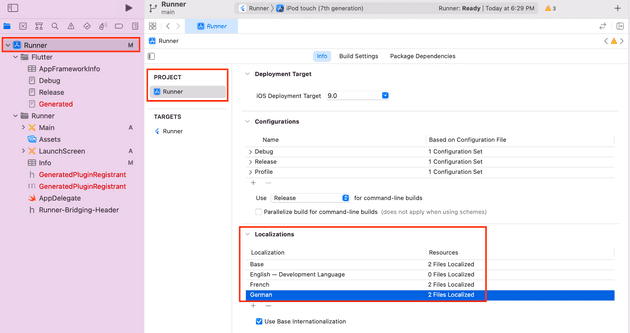
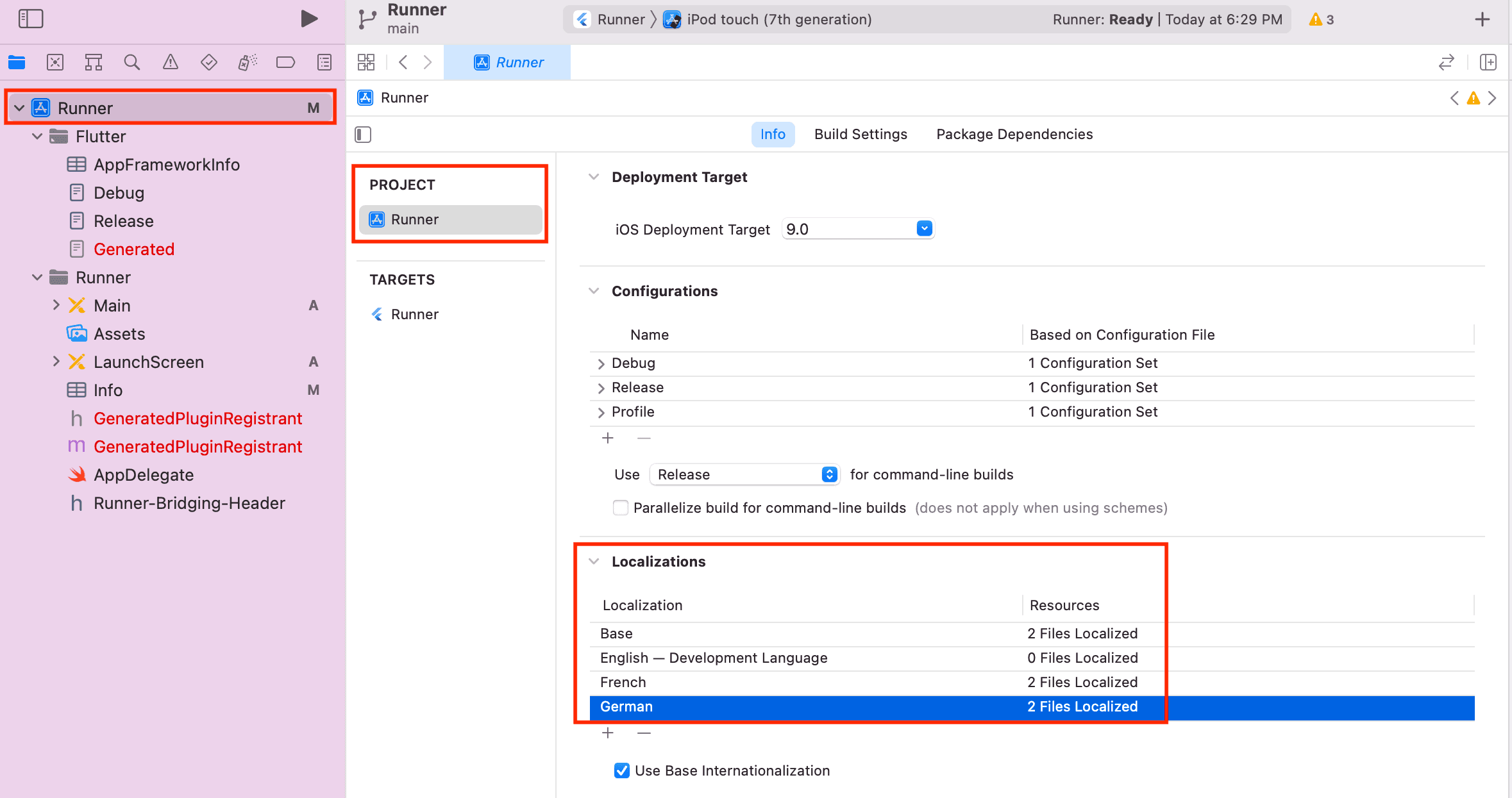
Open Xcode! In ios folder, there is Xcode file which has
xcodeprojextension. Remember! If you don’t create strings with Xcode, that files couldn’t add properly into the project. -
Add languages what you want to support.
-
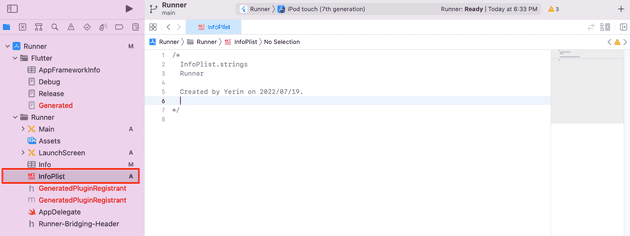
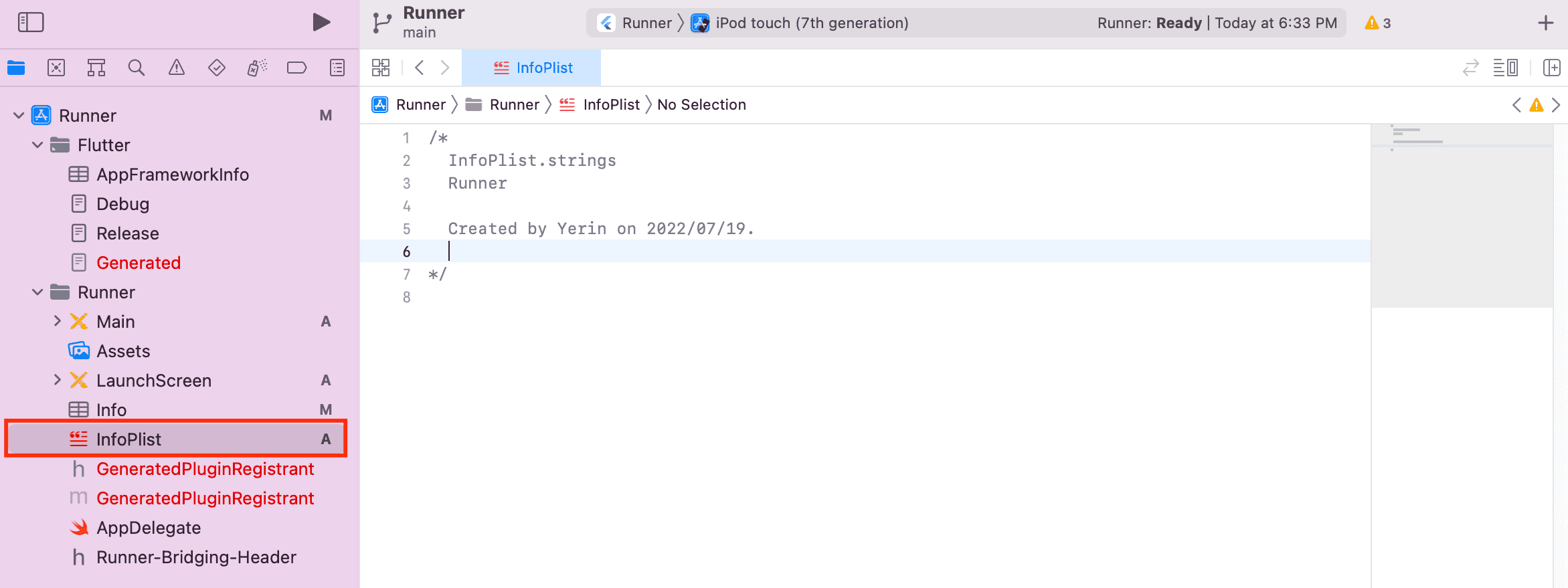
Create InfoPlist.strings in Runner.
-
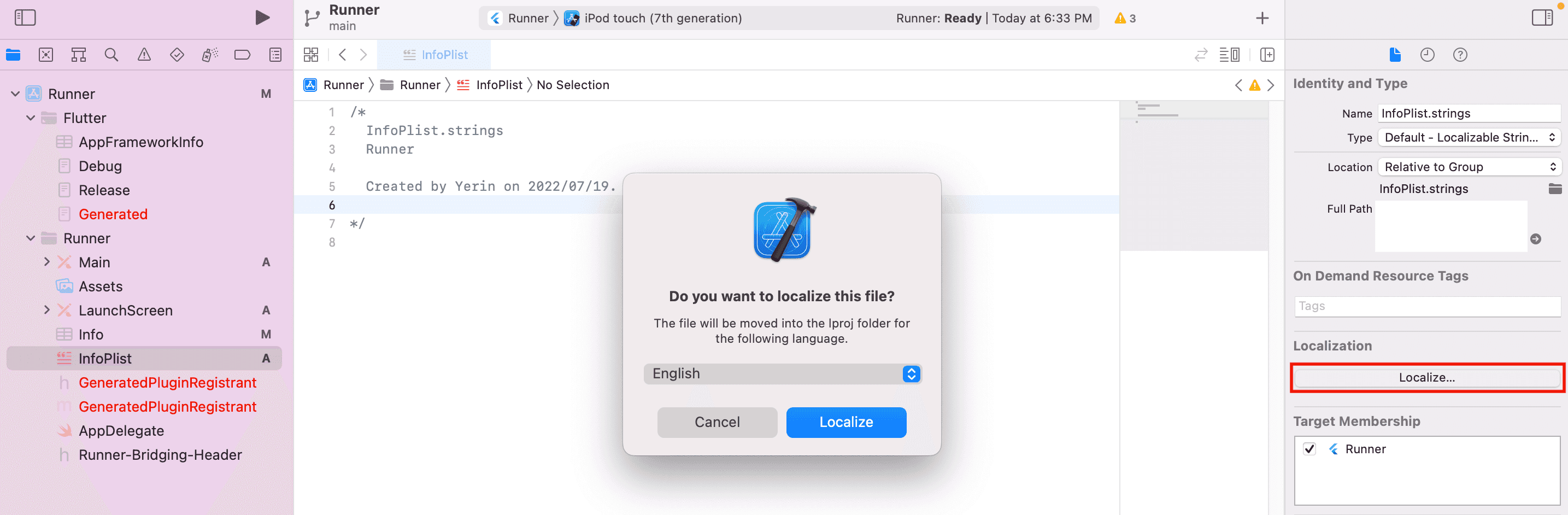
Create other strings file via clicking
localizebutton.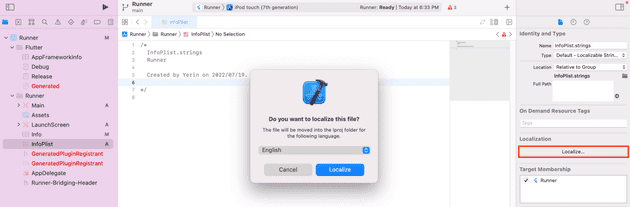
-
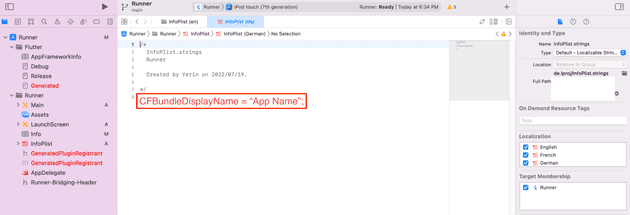
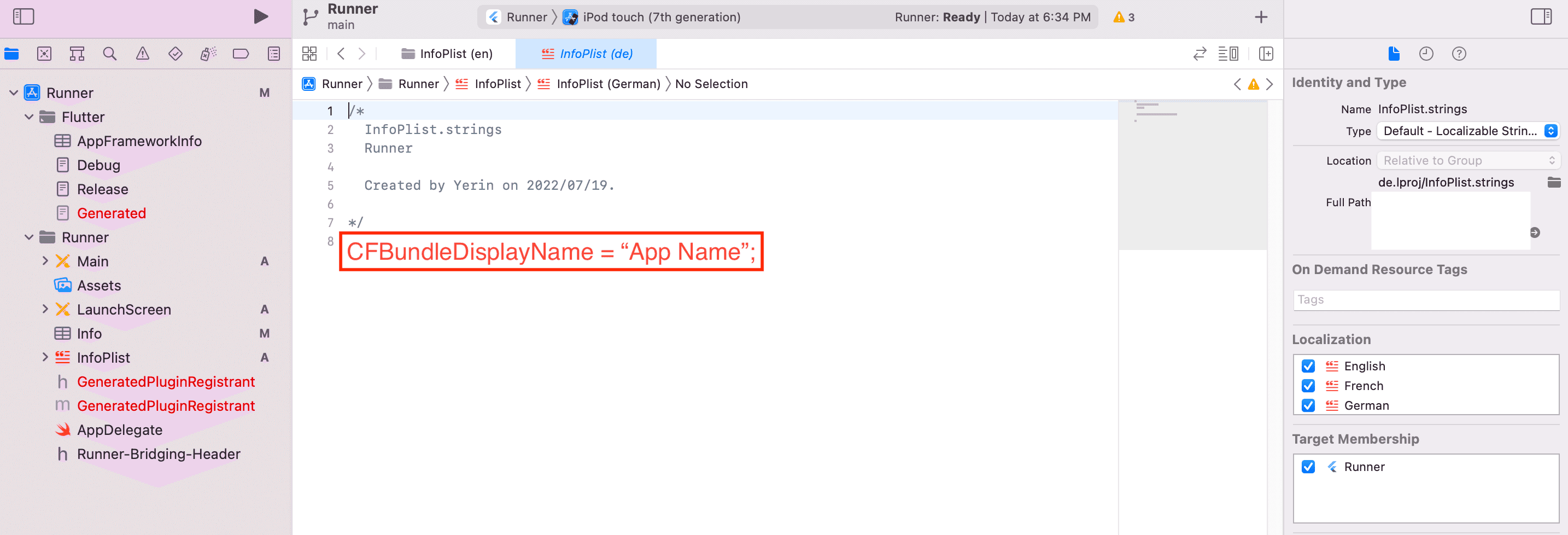
Write your app name down!
Discussion